Lesson 1
Agenda:
Step 1: Sign Up for Your Weebly Website
The first step, is to go toWeebly.com. Once there, you need to click on one of the “Try it free” buttons on the page.
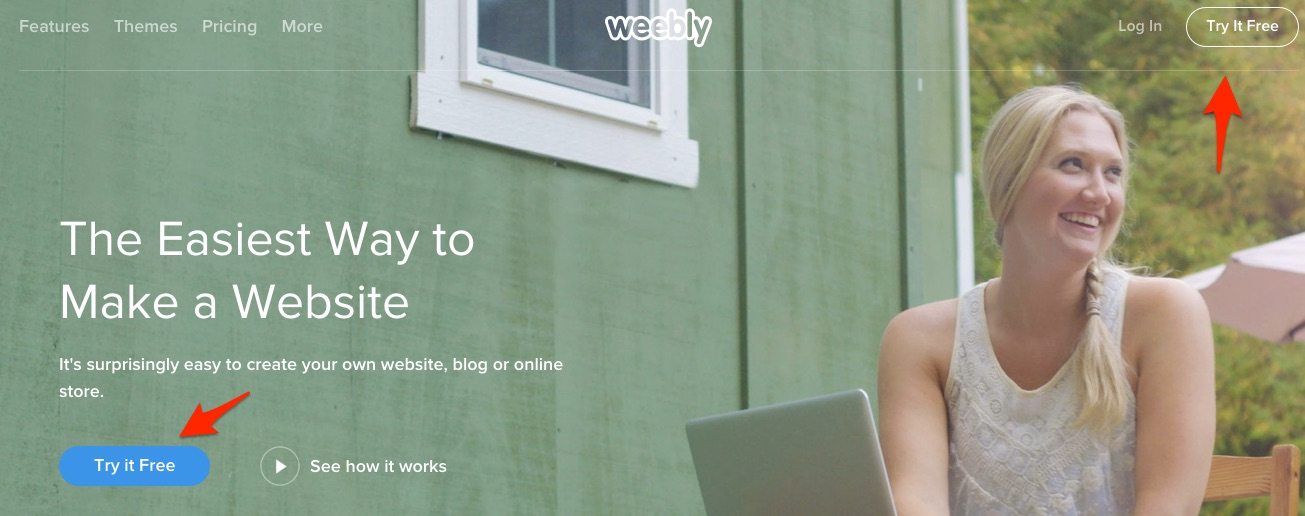
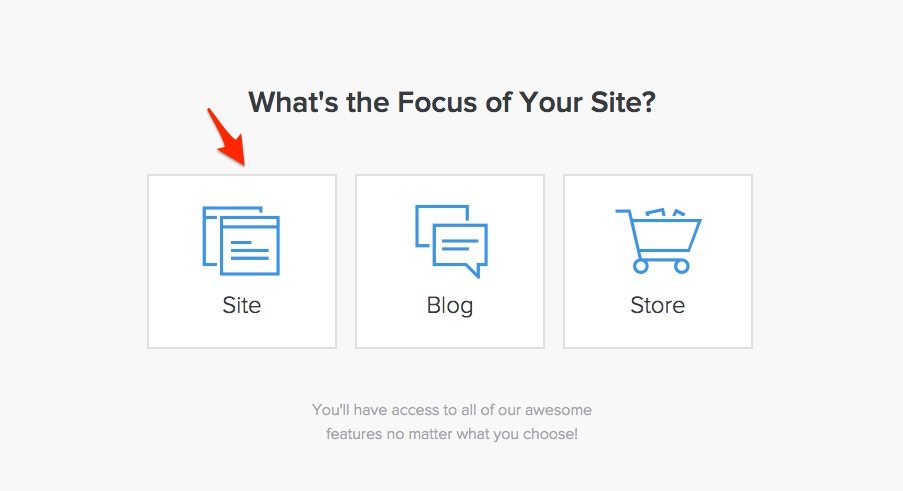
Next, you will be routed to a sign-up screen. Put in your full name, email, and a password to get started. After you click the “Sign up Free” button, you will be taken to a page that asks you whether you want a site, blog, or store.
If you are going to be using your Weebly website solely for blogging or selling product, you can pick one of those two options. But in most cases, you should click on the “Site” button. It doesn’t limit you, as you can still setup a blog or online store. The categories are just a guide Weebly uses to help decide which themes they will present to you in the next step.
Step 2: Pick a Theme
The next decision, is figuring out what kind of theme you want to use. Certain themes will probably make more sense for your business than others.
Several important things to keep in mind when picking a theme:
- You can change themes at any time The Weebly website builder, unlike competitor Wix, allows you to change themes at any time. When you change a theme, all of your info you have created is automatically imported into the new theme, so you don’t lose anything. So, it really is not that big of a deal which theme you start out with.
- Weebly has industry-specific themes – Although any theme can be tailored to fit any industry. Most are pre-designed for a certain kind of business. If you want as little work as possible, pick a theme that is already set up for your industry. Then, really all you have to do is just change the pictures, page titles, and text.
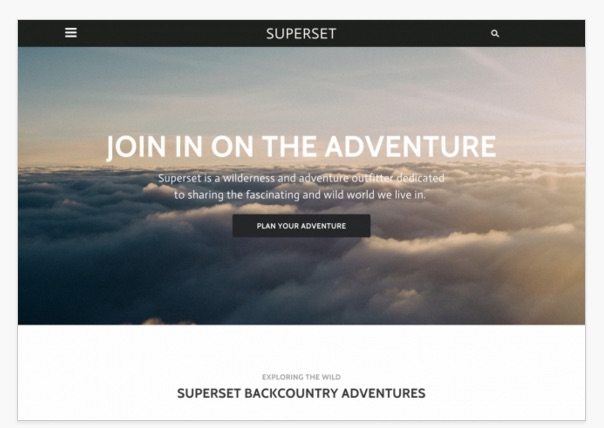
- Always Ask, “What am I trying to accomplish?” – Some sites are better at accomplishing certain goals than others. For example, if your main goal is to get leads using an action button, then a theme like this would be ideal. Instead of having a variety of places to click, it just provides one option, “Plan Your Adventure,” and makes that the central focus.
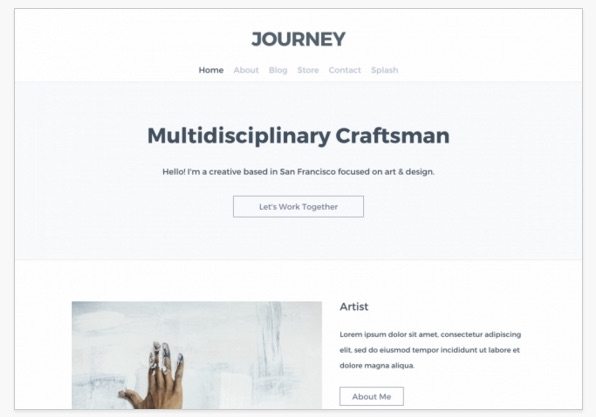
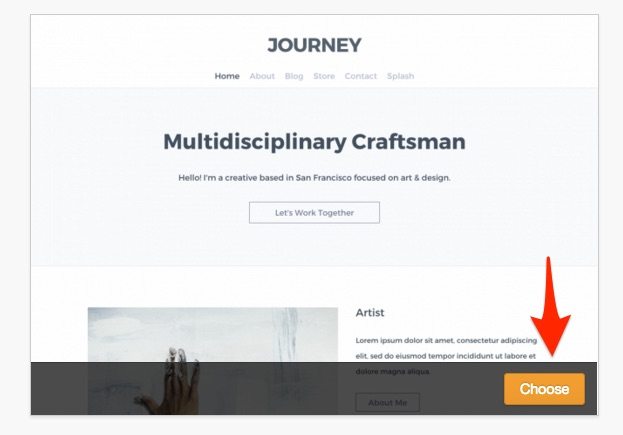
If you are looking for more of an informational site, then you probably want a themelike this. It has clear tabs at the top where your visitors can navigate to various parts of your Weebly website to learn more about your business. It also has a several links to other pages on the site as you scroll down the homepage, which will help visitors to click around and see what you are about.
When you have decided on a theme, just go down to the bottom right hand corner and click on the “choose” button.
1. Choose a Professional Theme for Your Website
Obviously you need to sing up for a free account at Weebly before you get access to the design database. The signup process is very simple, just fill in your name, email and password and you will get instant access. You can also login with your Facebook or Google+ account.
The next step is to choose a nice design. Weebly offer hundreds of high quality templates at no cost, that you can use for your website and customize it as you like. You can filter themes by categories: blog, business, online store, personal, events or portfolio. The niche does not have much importance, because you can fully customize and modify the template; just choose a theme that fits your needs the best.

You can also preview each design, so you will get an idea of how your website will look like. All templates are mobile-ready, so your website will look great on smart phones and tables too.
2. Customize your Website – Drag and Drop Elements
Once you pick a design, you can modify it in the Weebly builder. You will be able to edit text, buttons, menus, background and featured images, basically everything.
You can also remove elements from your current design and add new ones. You can drag and drop text boxes, images, galleries, slideshows, Google maps, contact and newsletter forms, buttons, dividers and you can also embed custom code. You can also embed Youtube videos, or upload your own media files (audio and video). The list goes on, but I won’t enumerate all of them.

You can create multiple pages too and edit each page as you want. Each theme comes with few standard pages. You can remove, edit or add new pages. You can also choose the layout of each page. There are hundreds of layouts you can choose from which will automatically populate your page with boxes, making your job easier.

